Dependency 설치
- Python 3.10.6 설치
- https://www.python.org/downloads/release/python-3106/
- 설치과정에서 "Add python.exe to PATH" 체크
- Git 설치
Stable Diffusion Web UI 설치
원하는 설치 경로에서 Git Bash 실행 (전체 경로에서 한글이 없어야 함)
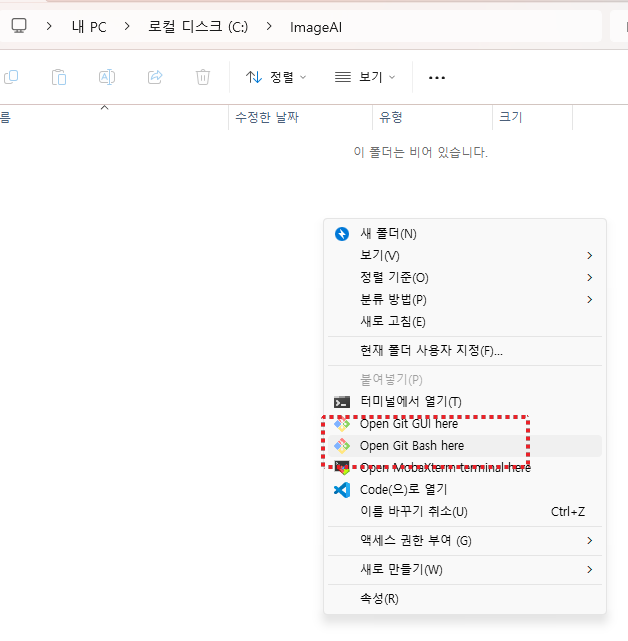
명령어 창에서 아래의 Command 입력
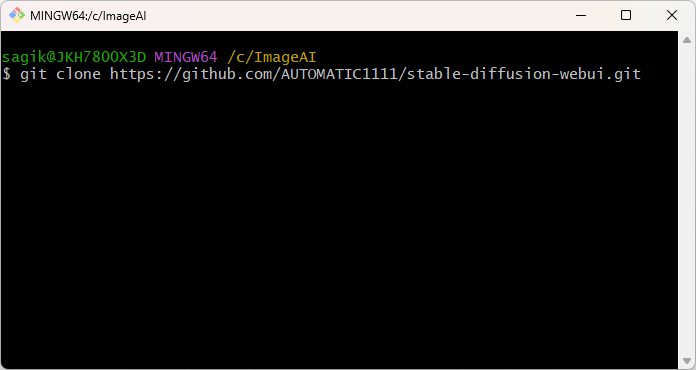
git clone https://github.com/AUTOMATIC1111/stable-diffusion-webui.git
다운받은 폴더에 들어가서 webui-user.bat 수정
@echo off

set PYTHON=
set GIT=
set VENV_DIR=
set COMMANDLINE_ARGS= --xformers --xformers-flash-attention --opt-channelslast --enable-insecure-extension-access --theme dark

call webui.bat
수정 완료 후, webui-user.bat 실행
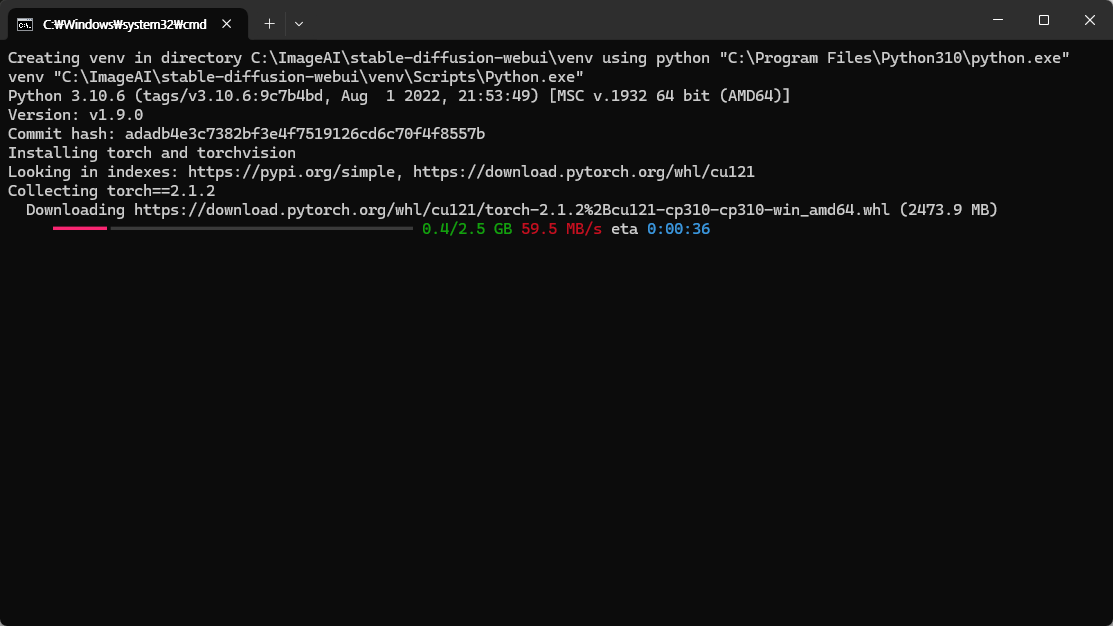
처음 실행 시, 몇가지 업데이트 및 설치를 자동으로 진행하고 자동으로 실행됨
(명령어 prompt창이 본체이기 때문에 닫으면 안됨)
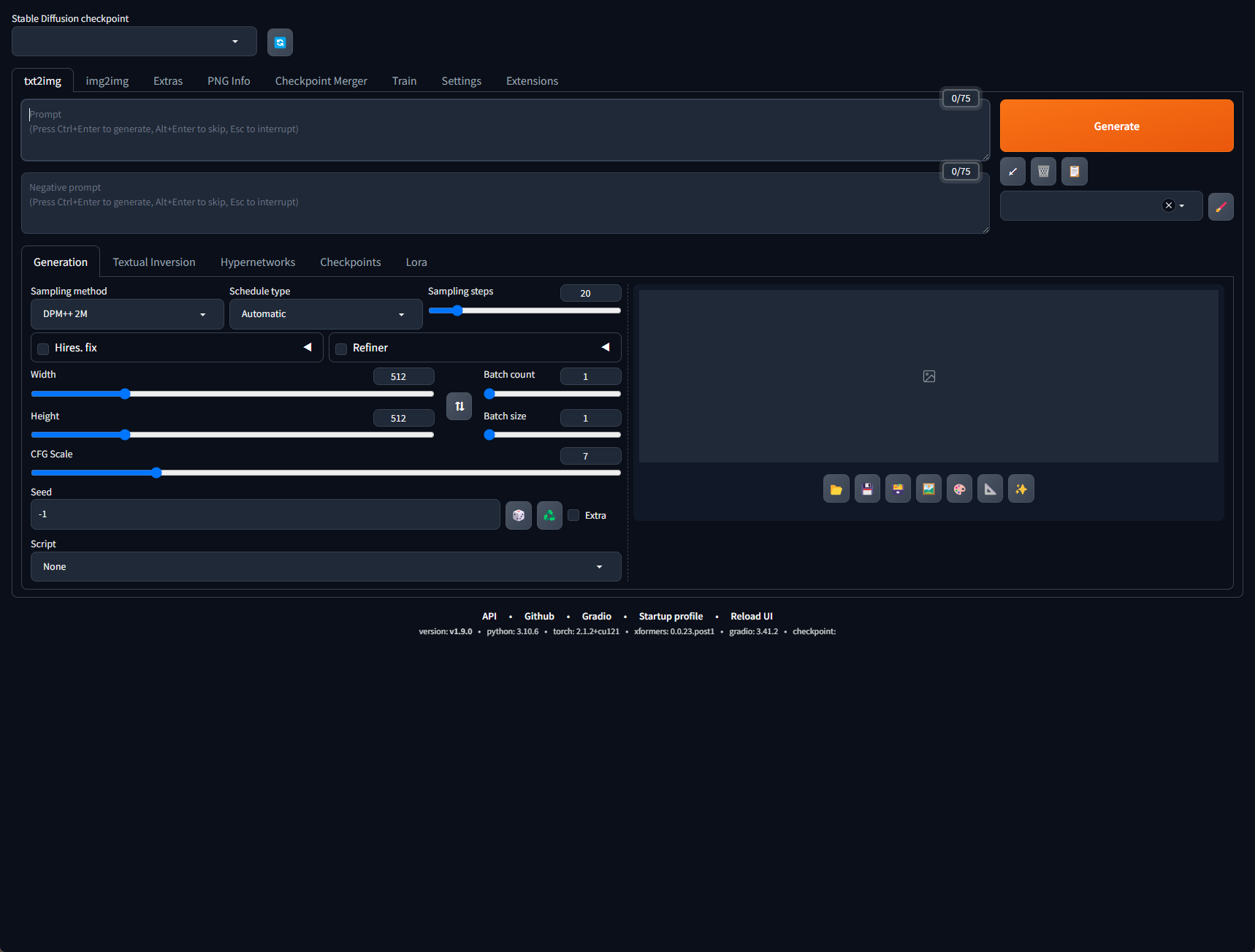
기본 설정
- Settings → Saving images/grids 클릭
- Images filename pattern에 아래 내용 작성
- [datetime<%Y%m%d_%H%M%S_%f><Asia/Seoul>]
- "Add number to filename when saving" 해제
- "Add extended info (seed, prompt) to filename when saving grid" 체크
- "Save a copy of image before applying highres fix." 체크
- "Save copy of large images as JPG" 해제
- "Use original name for output filename during batch process in extras tab" 해제
- Images filename pattern에 아래 내용 작성

- Settings → Upscaling 클릭
- Select which Real-ESRGAN models to show in the web UI.
- "R-ESRGAN 4x+ Anime6B" 선택
- Upscaler for img2img
- R-ESRGAN 4x+ Anime6B 선택
- Select which Real-ESRGAN models to show in the web UI.
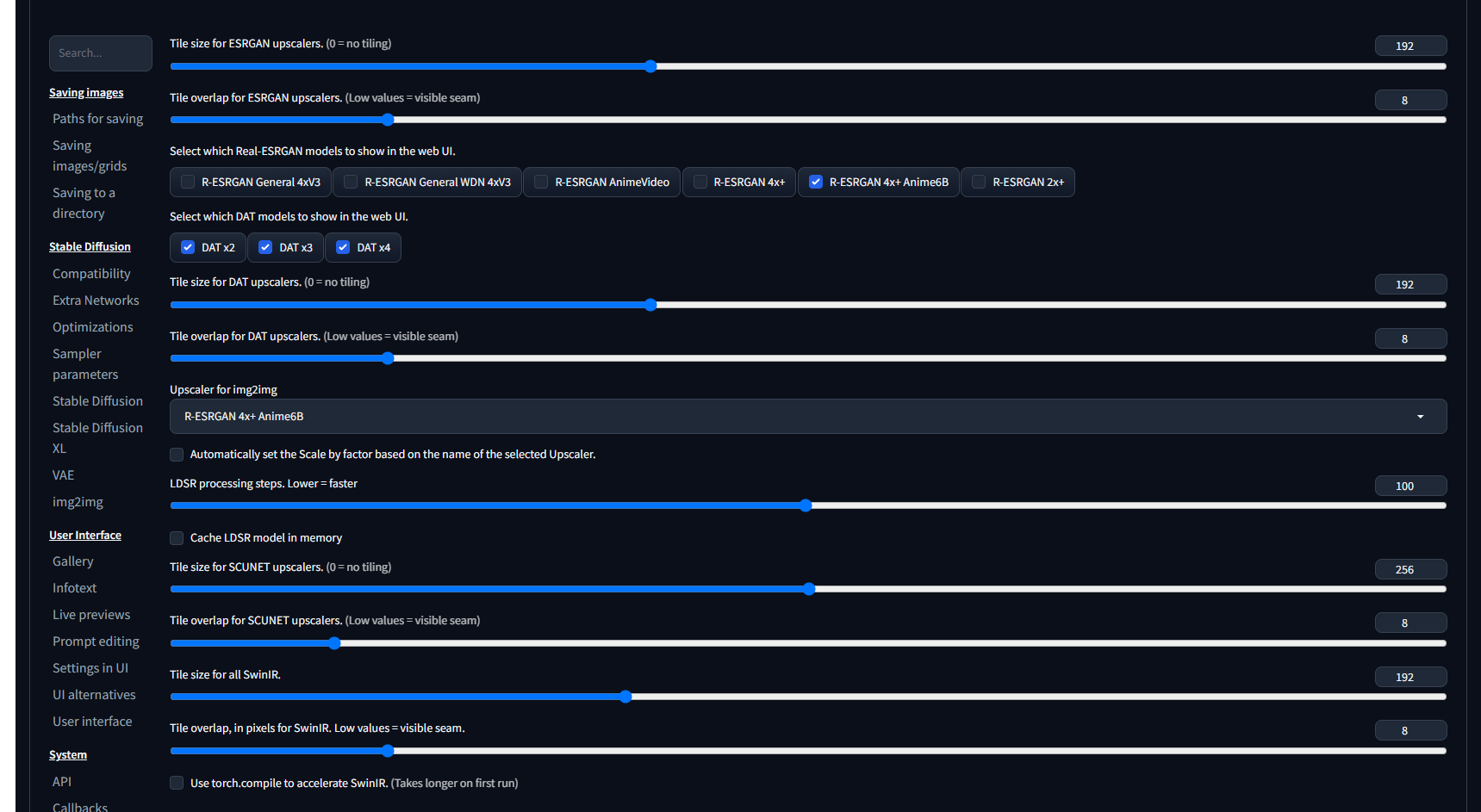
- Settings → Stable Diffusion
- Random number generator source.
- GPU 선택
- Random number generator source.
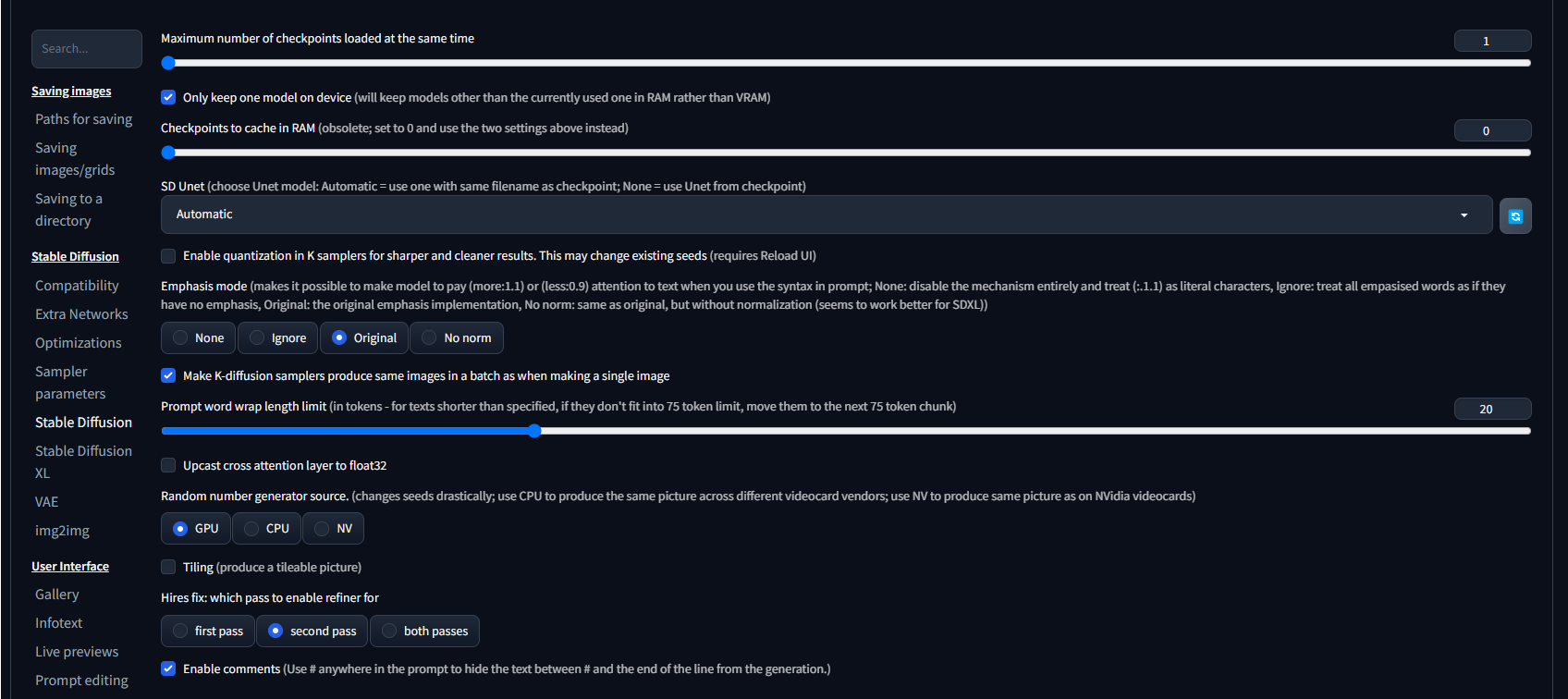
- Settings → img2img
- "Apply color correction to img2img results to match original colors." 체크

- Settings → User Interface
- sd_model_checkpoint, sd_vae, CLIP_stop_at_last_layers 선택
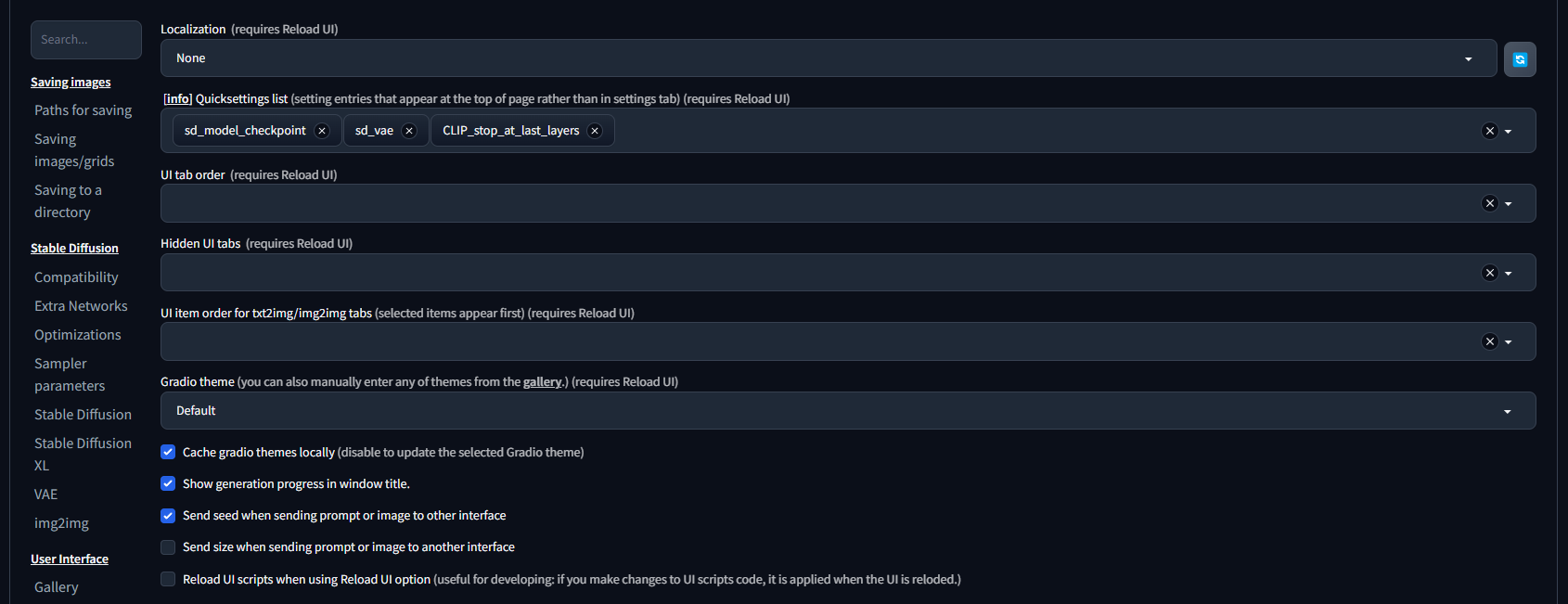
모든 설정 적용 후, 상단의 "Apply settings" 그리고 "Reload UI" 클릭
모델 다운로드 및 테스트
유명한 T3 모델을 다운로드
https://civitai.com/models/110053?modelVersionId=419391
t3 - t3(ver-13) | Stable Diffusion Checkpoint | Civitai
model for asians
civitai.com
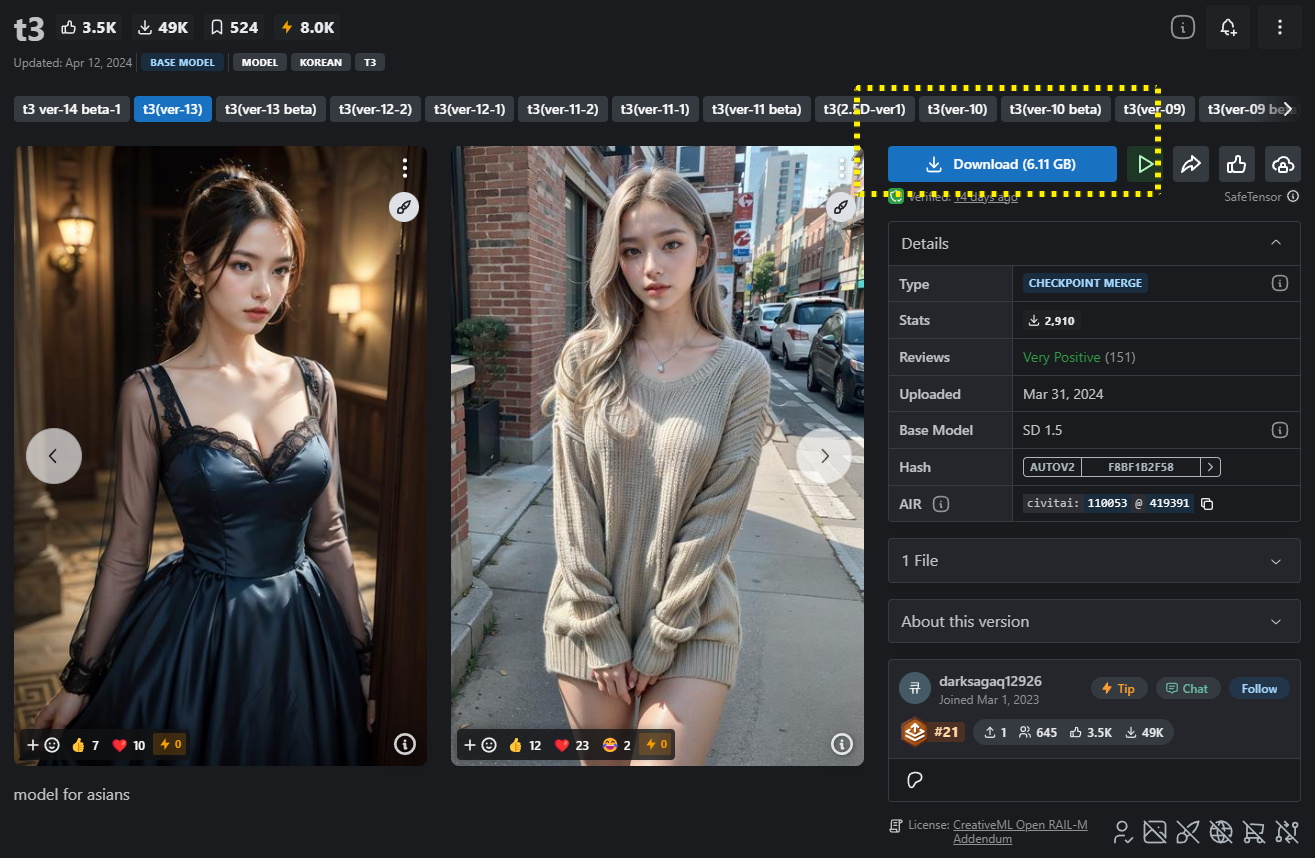
다운로드 후, 해당 파일을 "stable-diffusion-webui\models\Stable-diffusion" 경로에 복사/붙여넣기

상단의 Stable Diffusion checkpoint에서 다운받은 모델 선택
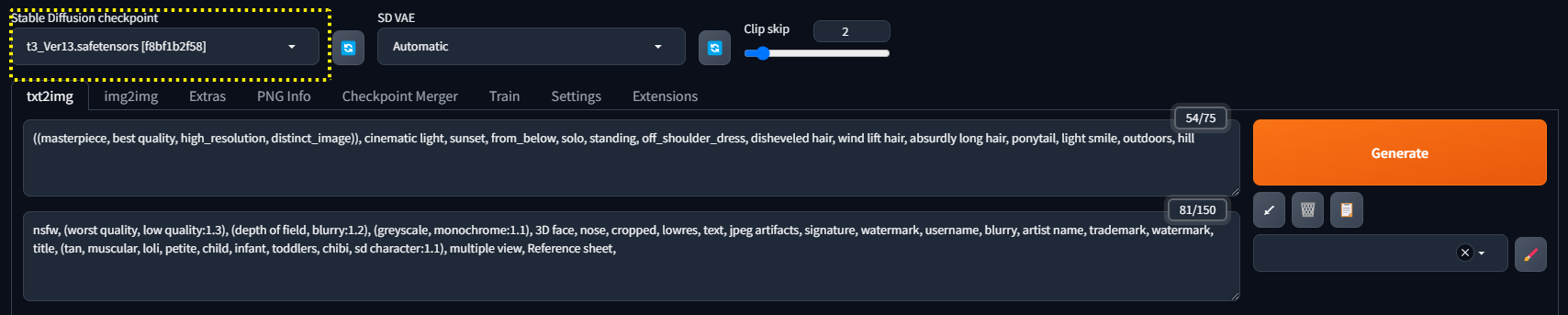
명령어 프로프트는 아래의 예시처럼 입력
Positive:
((masterpiece, best quality, high_resolution, distinct_image)), cinematic light, sunset, from_below, solo, standing, off_shoulder_dress, disheveled hair, wind lift hair, absurdly long hair, ponytail, light smile, outdoors, hill
Negative:
nsfw, (worst quality, low quality:1.3), (depth of field, blurry:1.2), (greyscale, monochrome:1.1), 3D face, nose, cropped, lowres, text, jpeg artifacts, signature, watermark, username, blurry, artist name, trademark, watermark, title, (tan, muscular, loli, petite, child, infant, toddlers, chibi, sd character:1.1), multiple view, Reference sheet,
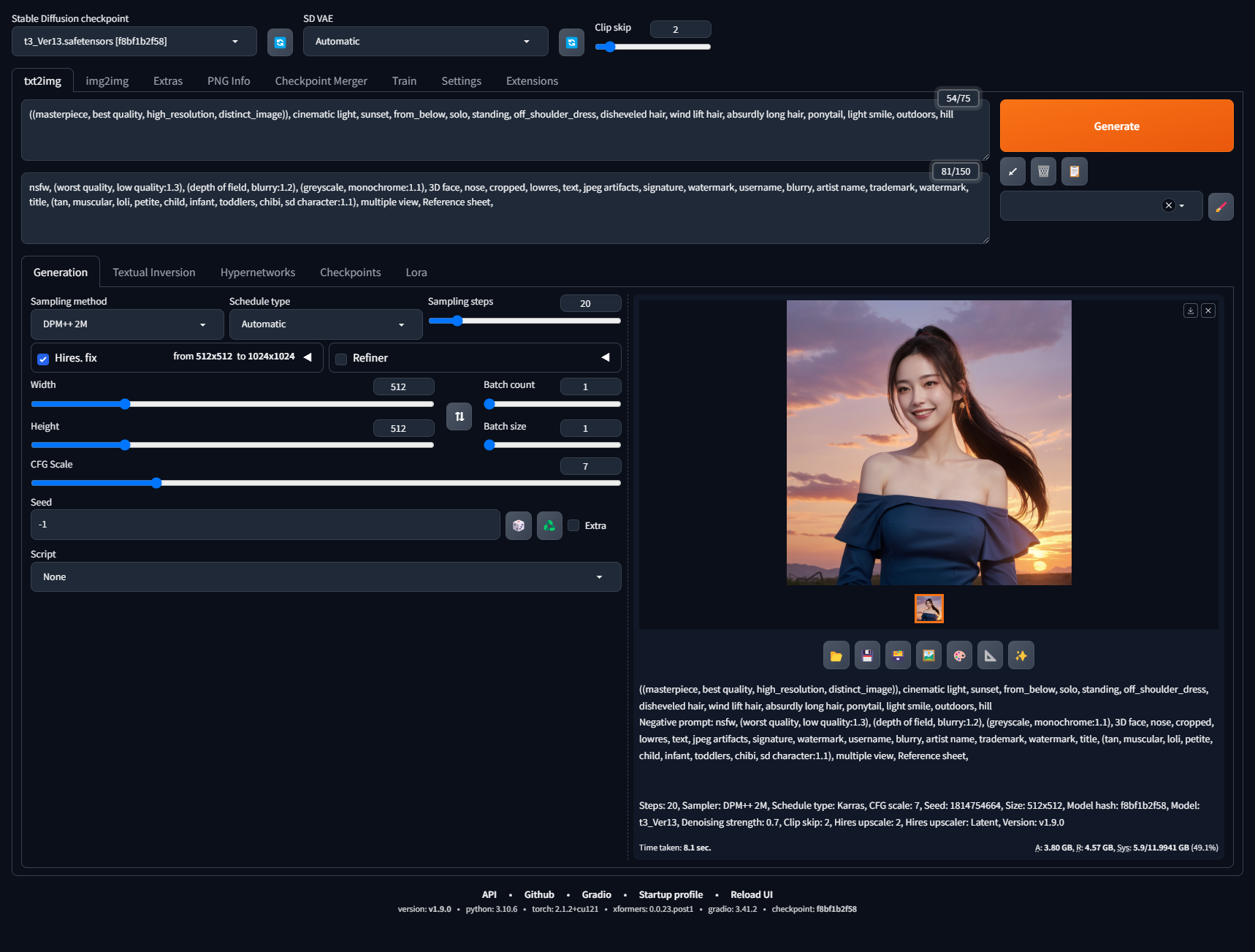
Generate 버튼을 누르면 Image 생성되는것을 확인할 수 있다
참고 및 출처
- https://github.com/AUTOMATIC1111/stable-diffusion-webui
- https://arca.live/b/aiart/79413719
- https://civitai.com/models/110053?modelVersionId=419391
- https://arca.live/b/aiartreal/85496002?p=1
- https://huggingface.co/
.
'ETC' 카테고리의 다른 글
| 크롬 브라우저 - 마이크 볼륨 자동 조절 해제 (0) | 2025.05.07 |
|---|---|
| 인터넷 브라우저를 메모장으로 사용 (0) | 2024.02.07 |
