목적
- QEMU를 이용해서 Raspberry Pi 3B+ 가상화
- Host : Ubuntu v22.10 (x86_64)
- Target : Raspberry Pi 3B+ (arm64)
QEMU Source Code 다운로드
현 시점 우분투 패키지에서 배포되고 있는 QEMU v7.0은 최신 Raspberry Pi Kernel의 Fram Buffer와 호환성이 맞지 않기 때문에, Soruce Code 다운로드 하여 v7.2로 직접 빌드한다.
git clone https://gitlab.com/qemu-project/qemu.git
cd qemu/
git tag | grep 7.2
git checkout v7.2.0-rc4
cd ..
QEMU Build
Build Dependency 설치
sudo apt-get build-dep qemu
sudo apt install libglib2.0-dev libfdt-dev libpixman-1-dev zlib1g-dev libgtk-3-dev libslirp-dev ninja-build
Configraion 및 Build
mkdir qemu_build
cd qemu_build/
../qemu/configure --target-list=aarch64-softmmu --enable-slirp
make -j$(nproc)
cd ..- Configration 의미
- --target-list=aarch64-softmmu
- ARM64 Target 지원 QEMU
- --enable-slirp
- network backend 지원
- --target-list=aarch64-softmmu
Raspberry Pi 3B+ (ARM64) Image 다운로드
wget https://downloads.raspberrypi.org/raspios_arm64/images/raspios_arm64-2023-02-22/2023-02-21-raspios-bullseye-arm64.img.xz
unxz -v 2023-02-21-raspios-bullseye-arm64.img.xz
Boot Image에 Default User정보 추가
Default User 정보가 없을 경우, Login 불가능 "Error : Login incorrect" 발생
An update to Raspberry Pi OS Bullseye - Raspberry Pi
Over the years, we have gradually ramped up the security of Raspberry Pi OS. Here's Simon Long to tell you what has changed.
www.raspberrypi.com
Boot Partition Offset 확인
fdisk -l 2023-02-21-raspios-bullseye-arm64.img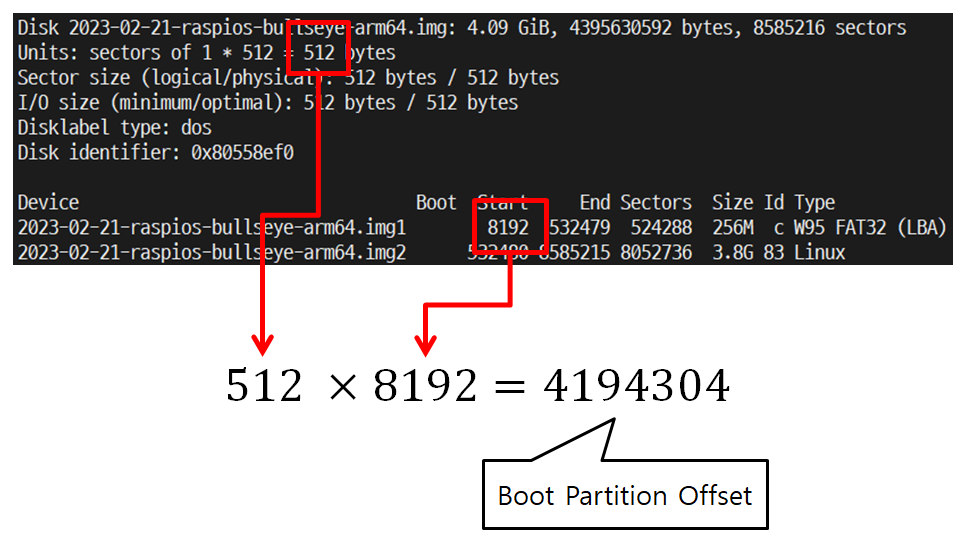
Boot Partition Mount (Loop Device)
- sudo 권한 및 root 계정으로 진행
- offset option 필요
cp -vi 2023-02-21-raspios-bullseye-arm64.img  rasbian.img
mkdir boot_rasbian
sudo mount -v -o loop,offset=4194304 rasbian.img boot_rasbian/
encrypted password 확인
echo 'raspberry' | openssl passwd -6 -stdin- 출력되는 문자열 = encrpyted password
Default 계정 정보를 boot partion의 userconf에 저장
cd boot_rasbian/
echo 'pi:$6$bbMg4qe1Qs7NW7JH$jraMwTJKx2WH8qF1FsUnzGYyDOsciIpvSRLq6nL6r9eXNgXEyIGFXlYbLWpxtpPmI./K0ZfR8CA8w3tA3WAGq/' > userconf
cd ..- Default User
- ID : pi
- Password : raspberry
unmount 수행
sudo umount boot_rasbian
rm -rvf boot_rasbian
Image Size 및 Format 변경
qemu-img resize rasbian.img 8G
qemu-img convert -f raw -O qcow2 rasbian.img rasbian.qcow2
Kernel Source Code 다운로드 및 Build
release 서버에서 Kernel Version 정보 확인

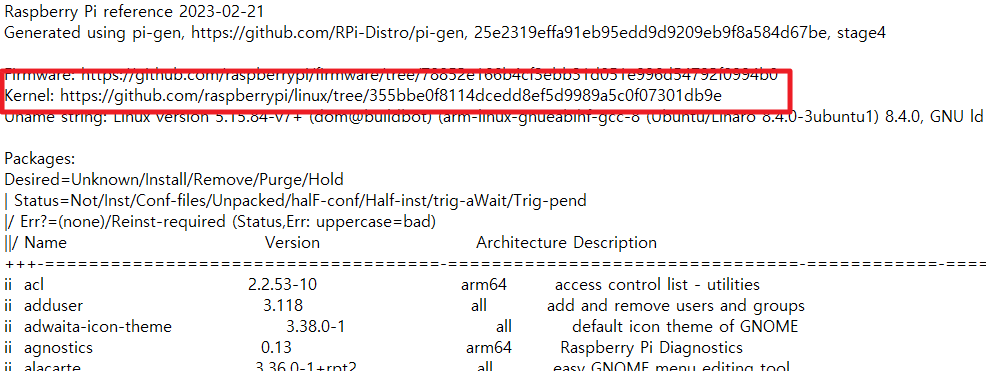
Download 및 Build
mkdir Kernel
cd Kernel

git clone https://github.com/raspberrypi/linux.git
git reset --hard 355bbe0f8114dcedd8ef5d9989a5c0f07301db9e

cd linux
make ARCH=arm64 O=../out CROSS_COMPILE=aarch64-linux-gnu- bcmrpi3_defconfig
make ARCH=arm64 O=../out -j$(nproc) CROSS_COMPILE=aarch64-linux-gnu-
cd ../..
QEMU 실행
# run_qemu.sh

qemu_build/qemu-system-aarch64 \
        -machine raspi3b \
        -sd rasbian.qcow2 \
        -serial stdio \
        -kernel Kernel/out/arch/arm64/boot/Image.gz \
        -dtb Kernel/out/arch/arm64/boot/dts/broadcom/bcm2710-rpi-3-b-plus.dtb \
        -append "rw earlyprintk loglevel=8 console=ttyAMA0,115200 root=/dev/mmcblk0p2 rootdelay=1 rootwaiti modules-load=dwc2,g_ether" \
        -usb -device usb-mouse -device usb-kbd \
        -device usb-net,netdev=net0 \
-netdev user,id=net0,hostfwd=tcp::5555-:22- Option : -netdev user,id=net0,hostfwd=tcp::5555-:22
- Host OS에서 5555 Port를 통해서 ssh 접근 가능
실행 결과
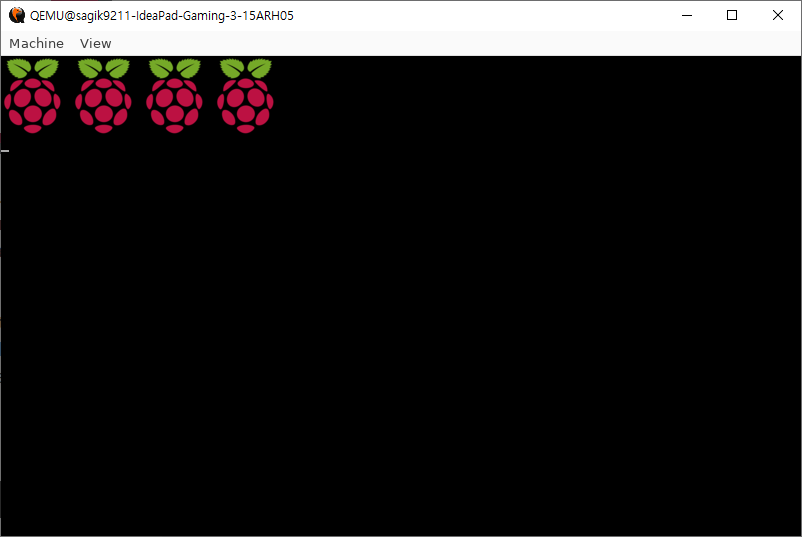
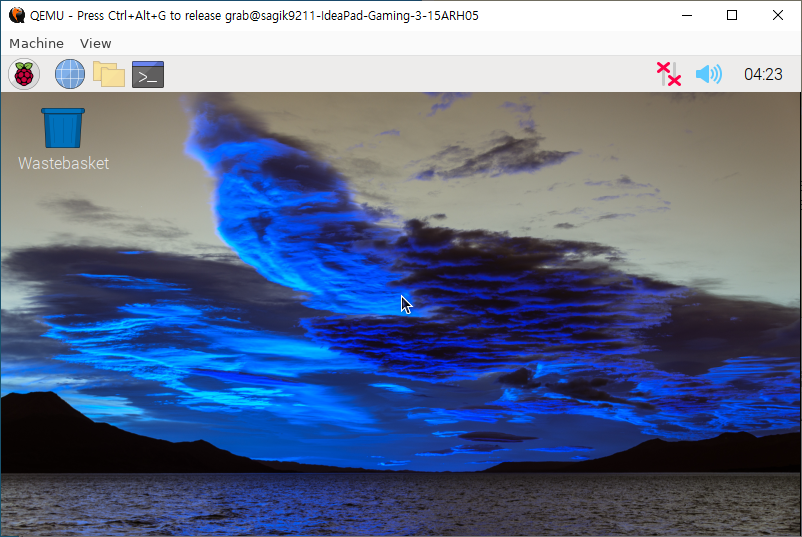
Version 정보
QEMU : v7.2
RPI Kernel : 5.15.84-v7+
참고 및 출처
https://blog.csdn.net/qq502233945/article/details/128374465
https://stackoverflow.com/questions/71860163/cant-guess-default-raspberry-password
https://www.raspberrypi.com/news/raspberry-pi-bullseye-update-april-2022/
https://azeria-labs.com/emulate-raspberry-pi-with-qemu/
https://raspberrypi.stackexchange.com/questions/138548/unable-to-login-in-qemu-raspberry-pi-3b
....
'Linux > VirtualMachine' 카테고리의 다른 글
| [QEMU] ARM64 Ubuntu - Custom Kernel (1) | 2024.02.05 |
|---|---|
| [QEMU] ARM64 Ubuntu (with Bridge Network) (1) | 2024.02.05 |
| [QEMU][GDB] Kernel Debugging (arm64) (0) | 2024.02.05 |
| [QEMU][BusyBox] MainLine Kernel Emulation(arm64) (0) | 2024.02.05 |


